
Project Data & Storage #
In Brainlife, your project's storage repository—formerly referred to in legacy versions as the "Archive"—is unified and managed under the 2. Data tab. This tab serves as the central data catalog where all raw inputs, intermediate derivatives, and final scientific outputs are organized, inspected, and preserved.
Modern Data Storage vs. Legacy Archive #
If you used earlier versions of Brainlife, you may recall having to manually request that an App's output be "archived back" into your project.
In Brainlife Connects, data management is fully streamlined:
- Automatic Derivative Archiving: Every successful execution of a task—whether launched manually in the Processes tab or dispatched automatically by a Pipeline Automation—has its output datasets automatically cataloged and archived directly into your project's data repository.
- Immediate Downstream Availability: As soon as an output is archived, it is instantly indexed in the data table and immediately satisfies input requirements for subsequent downstream pipeline automations.
- Continuous Provenance Tracking: Brainlife automatically records the exact parent input datasets, App version, execution parameters, and compute resource that produced each archived data object.
Managing Your Data Repository #
Under the 2. Data tab, you can inspect and manipulate your project datasets:
The Data Table #
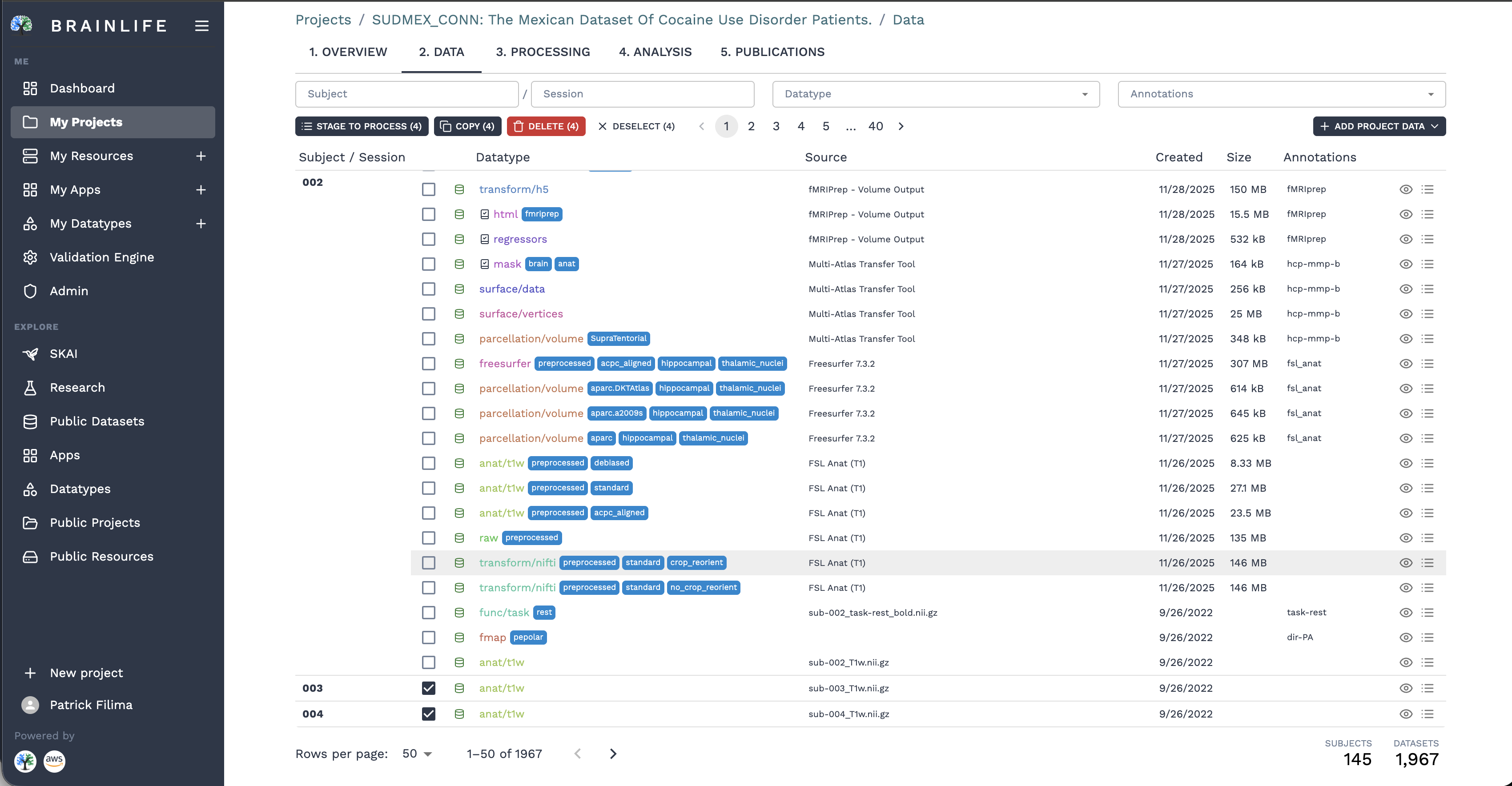
The data table organizes your repository across several core columns:
- Subject & Session: Participant identifier and scanning session (e.g.,
002,003). - Datatype: Standardized datatype chip (e.g.,
anat/t1w,func/task,freesurfer,parcellation/volume,mask,transform/h5) with distinct color coding. - Source: Upstream App or tool that generated the derivative (e.g.,
fMRIPrep,Multi-Atlas Transfer Tool,Freesurfer 7.3.2,FSL Anat (T1)). - Datatype Tags: Immutable intrinsic scan characteristics (e.g.,
acpc_aligned,preprocessed,debiased). - Annotations (Object Tags): User-defined organizational labels (e.g.,
control,patient,hcp-mmp-b). - Actions: Direct access to dataset inspection and the eyeball Visualize launcher.
Filtering by Datatypes and Annotations #
When working with projects containing hundreds of datasets, you can narrow your view using the multi-select filter dropdowns in the table header:
Filter by Datatype: Click the Datatypes filter to isolate specific imaging modalities (such as
neuro/anat/t1w,neuro/anat/t2w, orneuro/dwi). Each entry displays the live count of matching data objects.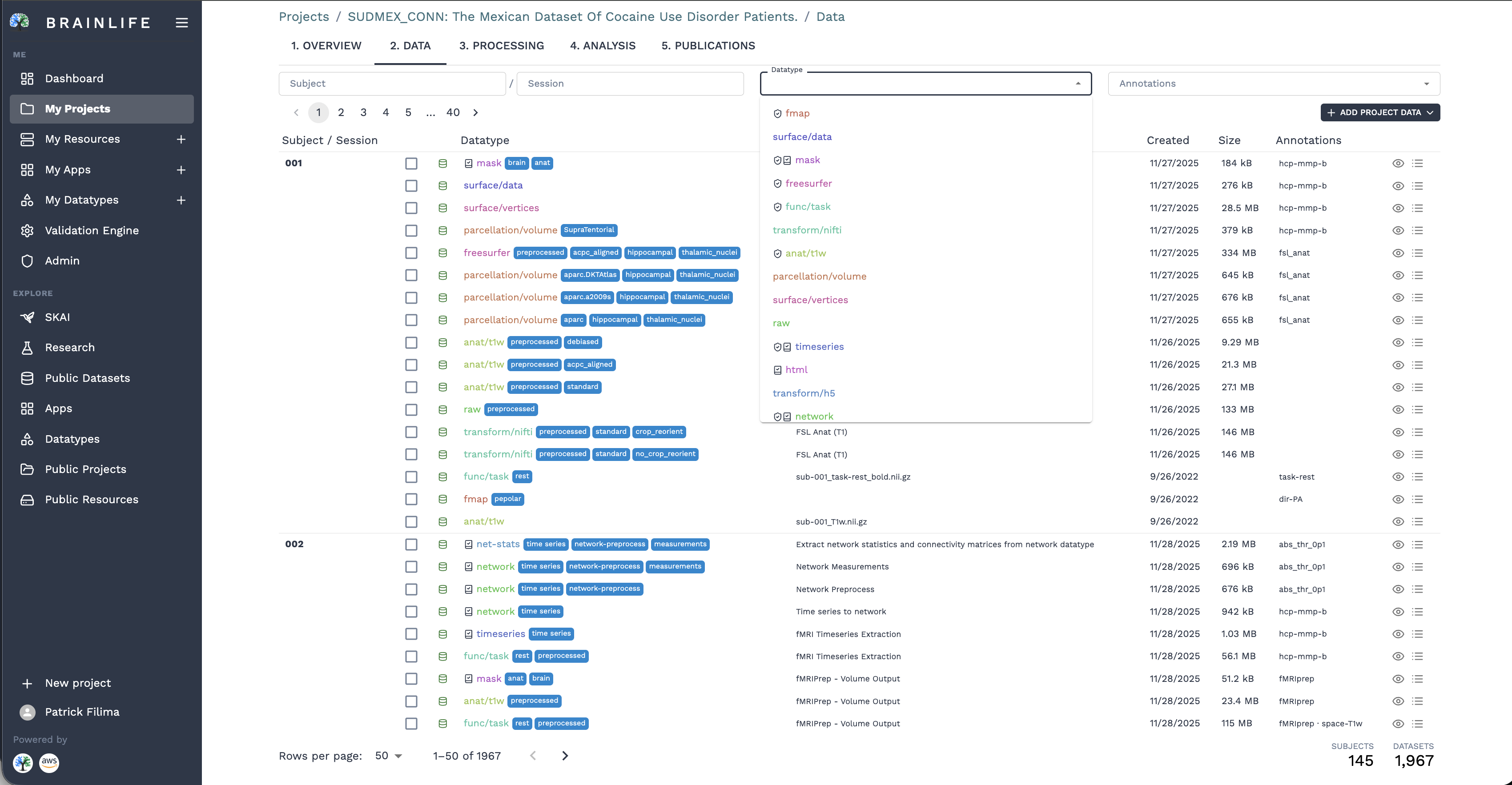
Filtering by Datatype Filter by Annotations: Click the Annotations dropdown to filter by user-assigned cohort labels or processing flags (such as
acpc_aligned,denoised,preprocessed, or clinical cohorts).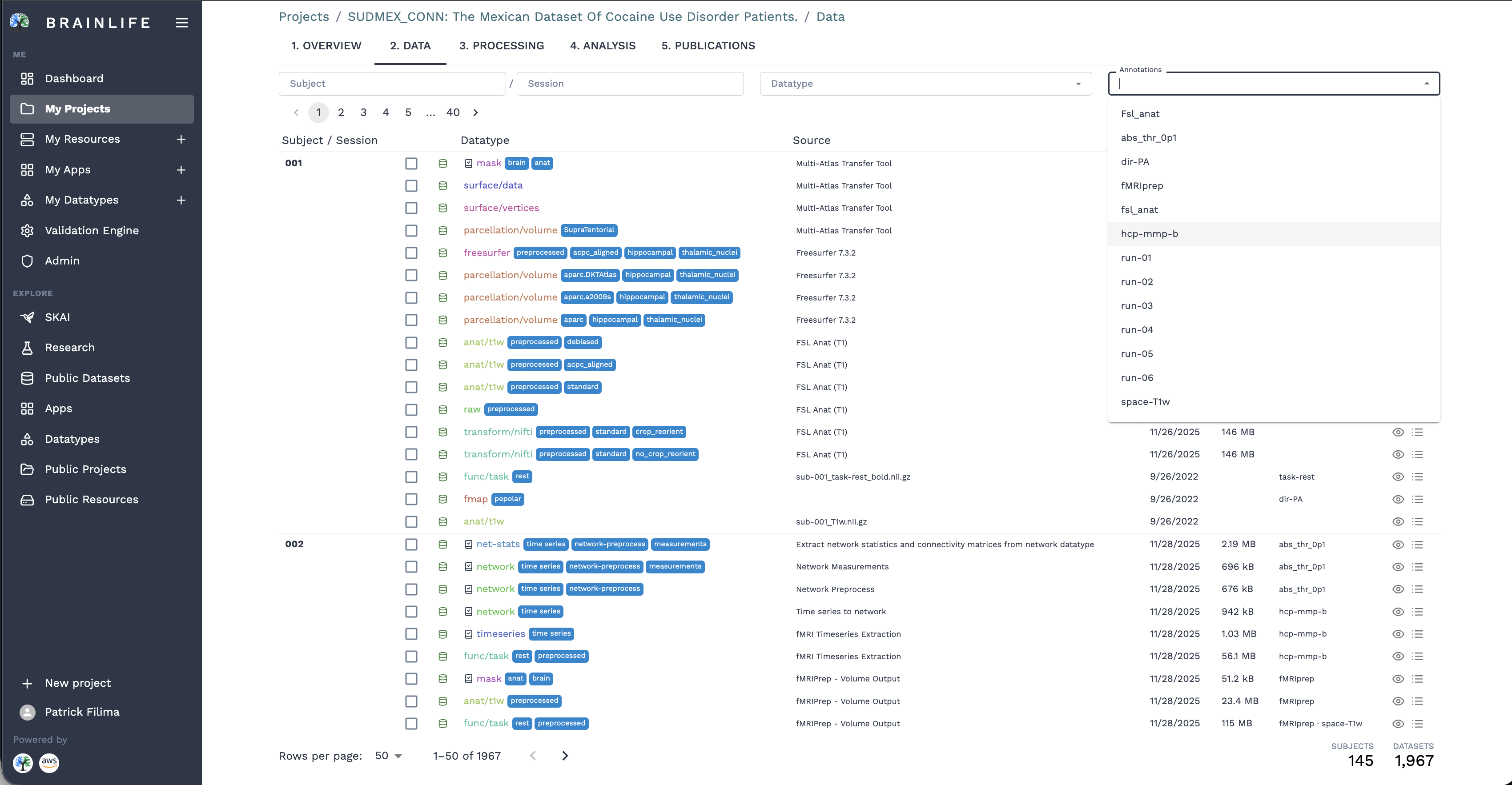
Filtering by Annotations and Tags
Batch Operations #
Use the selection checkboxes on the left of each row to perform batch operations via the top action bar:
- Stage to Process: Bundle selected datasets and send them to the Processes tab for manual App execution (e.g.,
STAGE TO PROCESS (4)). - Copy: Duplicate datasets across projects (
COPY (4)). - Download Datasets: Download individual files or generate multi-dataset tarballs directly to your local computer.
- Edit Annotations: Bulk-apply or remove tags across cohorts of subjects.
- Delete Datasets: Remove obsolete or erroneous datasets from your project (
DELETE (4)).
Dataset Details & In-Browser Visualizers #
Clicking on any dataset row opens the comprehensive Dataset Details inspector:
- Files & Directory Tree: Browse individual files, download specific components, or review sizes and file checksums.
- Provenance Graph: An interactive visual diagram displaying the exact processing history—which upstream raw scans and Apps produced this dataset.
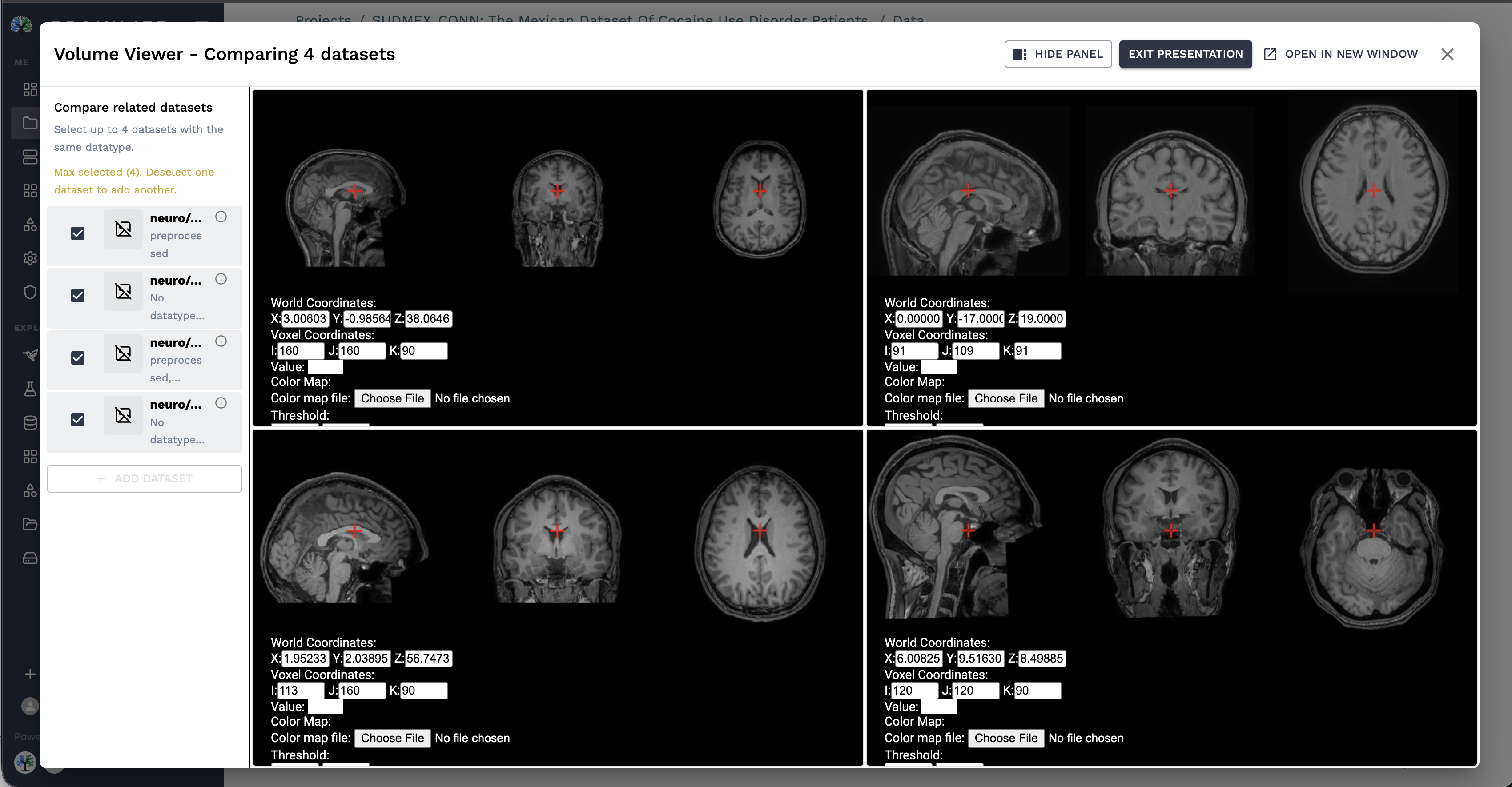
- Volume Viewer (Multi-Dataset Comparison): Compare up to 4 datasets simultaneously across orthogonal planes (axial, sagittal, coronal) with synchronized crosshairs, voxel/world coordinates, and custom color map thresholds.
- Remote Desktop Suites: Launch GPU-accelerated cloud viewers (:fa-server: FSLeyes, Freeview) with one click.
Long-Term Preservation & Storage Tiers #
Brainlife ensures that scientific datasets remain safe, reproducible, and compliant with FAIR data standards over long horizons:
- Active Cloud Cache: Staged datasets and active project data reside on high-speed NVMe/SSD cloud storage to support rapid App execution and interactive in-browser visualization.
- Scholarly Data Archive (SDA): Published and archived datasets are backed by Indiana University's multi-petabyte tape storage archive, ensuring data integrity and bit-level preservation for at least ten years.
- Direct S3 Object Storage: For petascale cohorts or labs hosting data in institutional cloud buckets, Brainlife projects can connect directly to AWS S3, enabling compute jobs to stream and process cloud data in place without redundant data copies.