aimport User Documentation #
aimport is a new command-line tool (bl aimport) that imports neuroscience data (neurophysiology, neuroimaging and microscopy) from your own computer into a brainlife.io project. It works out what each series, image or recording is, converts it to BIDS, removes identifying information, validates the result and lets you look at it. Only then is anything uploaded.
aimport is new. It is not in a published release yet, and it does not appear in the brainlife.io app. The steps below run it from development branches. See Status below.
aimport is part of ezBIDS and reuses its mapping, conversion and defacing tools. ezBIDS on the web runs on a server; aimport runs on your computer, so raw data never leaves it.
| ezBIDS on the web | aimport (on your computer) | |
|---|---|---|
| Neuroimaging | MRI, PET | MRI, PET |
| Neurophysiology | MEG | EEG, MEG, iEEG, NIRS, EMG |
| Microscopy | OME-TIFF, CZI, ND2, LIF, SVS, PS-OCT, light-sheet (VISoR), OME-Zarr |
bl aimport is in the brainlife.io Python command-line tool, pybrainlife (branch enh/cli); it is not in a published release yet. It runs the aimport engine, a Docker image (brainlife/aimport:dev) that is not published yet: build it from the ezBIDS repository. ezBIDS desktop with AI import (beta) is coming, Mac first.
Running it #
Install bl (Python 3.8 or newer) and log in:
pip install "git+https://github.com/brainlife/pybrainlife@enh/cli"
bl login
Build the engine image from a clone of ezBIDS (Docker needed):
git clone --recursive https://github.com/brainlife/ezbids && cd ezbids
docker build --platform linux/amd64 -t ezbids-handler:local handler/
docker build --platform linux/amd64 -t brainlife/aimport:dev -f aimport/Dockerfile .
Then import a folder into an existing project (--project is required):
bl aimport ~/data/my-study --project PROJECT_ID --qa--qa: after validation, open the output in the local QA viewer and ask before uploading.--remote <url>: add a remote microscopy source (https://ors3://OME-Zarr, NIfTI or TIFF), read by range requests, never downloaded whole. Repeatable.--no-upload: stop after validation; nothing is sent.--deface pydeface|quickshear,--target bids|datatypes,--work <dir>,--keys <dir>,--image <ref>,--tag <tag>,--yes: see the pybrainlife README orbl aimport --help.
To try it first on public sample data, follow the aimport examples; they upload nothing.
To let an AI model help name the series, set AIMPORT_MODEL and your provider's key (Claude, OpenAI, or Qwen through Ollama, which keeps everything local). Without a model, built-in heuristics do the work.
The flow #
- Scan the folder: what each series, image or recording is.
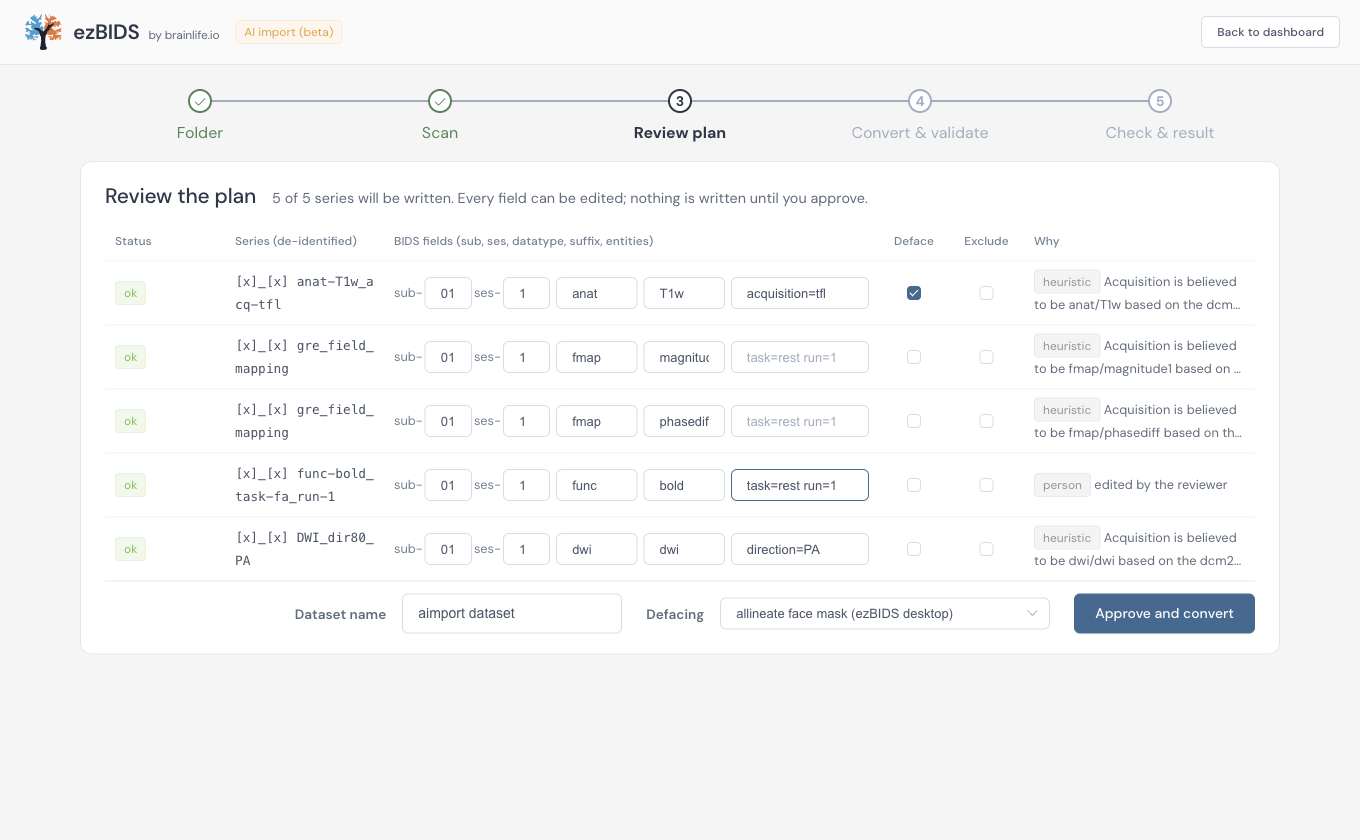
- Review the plan: BIDS names, subject and session IDs, defacing, event names, metadata files. Every field can be edited.
- Approve. Nothing is written before this; any later edit un-approves the plan.
- Convert and de-identify: write BIDS, deface MRI, strip identifiers.
- Validate with the BIDS validator (BIDS v1.11.2). Output with errors is never uploaded.
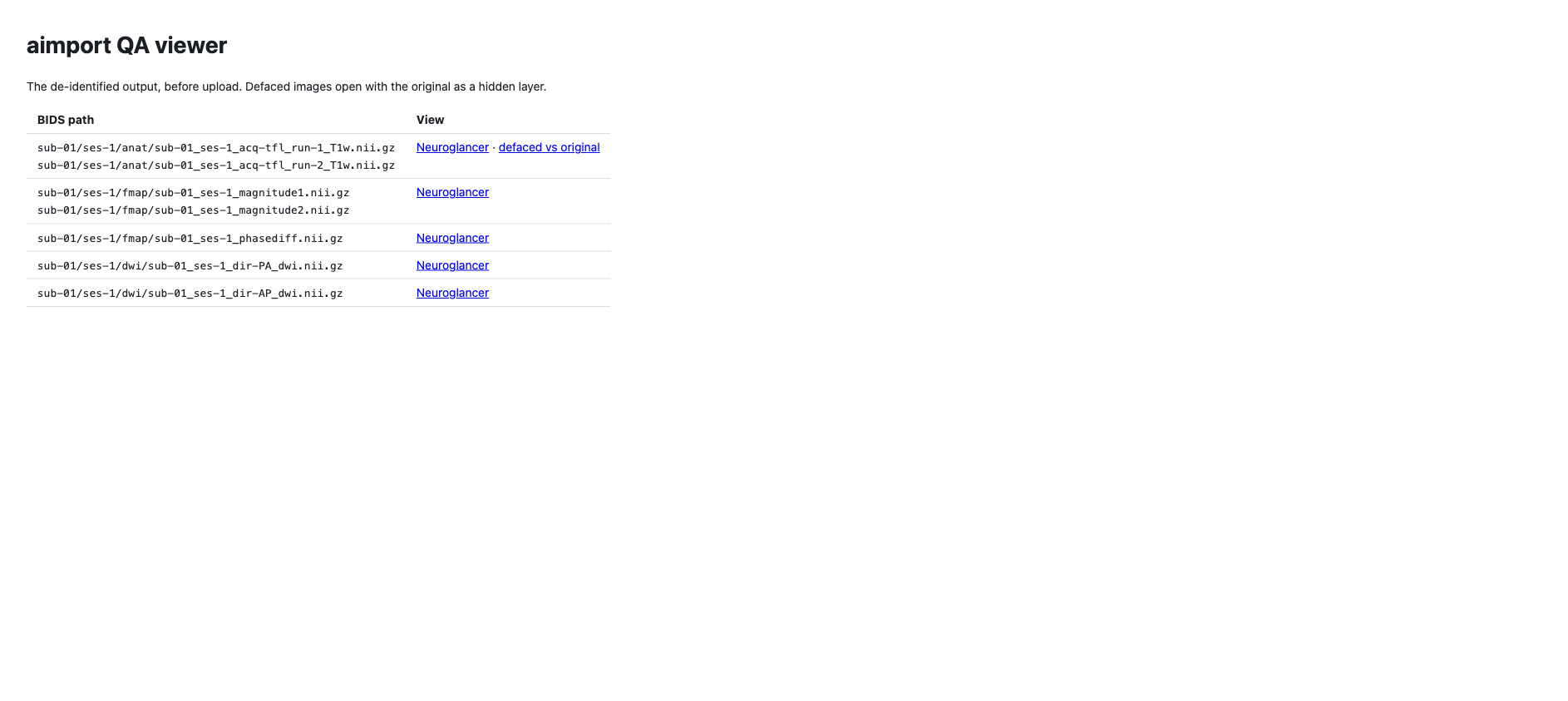
- Look at the output in the QA viewer.
- Upload to your brainlife.io project.
What never leaves your computer #
- The input folder (read only), original headers and file paths, the images before defacing.
- The pseudonym key that links real identities to the new subject IDs. Keep it backed up; it lets a later import of the same person reuse their ID.
- A remote or local OME-Zarr's chunk map.
An AI model, if you set one, sees only a de-identified summary of each series, with every known identifier replaced by [x]. Never pixels, raw headers or paths.
Per modality #
MRI and PET #
DICOM or NIfTI. Identifying DICOM fields are dropped, names and IDs are redacted wherever they appear (descriptions, folder names, tables, README), dates are shifted by a fixed offset per subject (intervals kept), NIfTI header text is cleared, ages above 89 are written as 89. Anatomical images are defaced; only face voxels change. Screenshot and report series are excluded by default. ASL is excluded unless an aslcontext.tsv is supplied.
EEG, MEG, iEEG, NIRS, EMG #
| Datatype | Accepted input | Written as |
|---|---|---|
| eeg | EDF/EDF+, BDF, GDF, BrainVision, EEGLAB, Neuroscan .cnt, Nihon Kohden, Persyst, FIF |
BrainVision, EDF, BDF |
| ieeg | the EEG formats, NWB | BrainVision, EDF (NWB input: NWB) |
| emg | the EEG formats with EMG channels | EDF, BDF |
| meg | FIF, CTF .ds, KIT, BTi/4D |
FIF |
| nirs | SNIRF, NIRx, Hitachi | SNIRF |
Every recording is converted, never copied. Removed: patient and recording header fields, experimenter, device IDs; dates are shifted to before 1925 (scans.tsv keeps the per-subject shifted date); free-text annotations become event codes (E001, ...) that you name in review; channel names holding an identifier are renamed (eeg_007); head-shape points are dropped unless you keep them (fiducials and HPI coils stay). A final check re-reads every written file.
Not converted (planned unsupported, with the reason): Artinis .oxy3/4/5 ("export to SNIRF first"), MEF3 ("export to EDF first"), EGI .mff, Blackrock, EEGLAB .set above 512 MB with embedded data, epoched or averaged FIF.
Microscopy #
Read: OME-Zarr (NGFF 0.4 and 0.5), OME-TIFF, TIFF/BigTIFF (VISoR light-sheet stacks included), Aperio SVS, CZI, ND2, LIF, PS-OCT NIfTI and MATLAB .mat. Written as OME-Zarr.
Not read (the plan says why): .vsi, .oib, .oif, .ims, .lsm, .scn, .mrxs ("export to OME-TIFF or OME-Zarr first"); raw PS-OCT .dat tiles ("reconstruct first"); unstitched tile mosaics ("stitch first"); PNG/JPEG; BIDS photo files.
- Metadata rebuilt from an allowlist of image facts; the source's OME-XML, TIFF tags, slide labels and file names are never written.
- Pixel size is never invented: it comes from the source; if it or its unit is missing, the plan waits for you to set it.
- Labels and donors are pseudonymised: subject IDs come from the pseudonym key; sample and chunk labels are kept only when safe, else renumbered.
- Reference datasets: an OME-Zarr input, local or remote, is read in place. aimport writes only new metadata; the chunks stay where they are and are streamed into brainlife.io on upload, one at a time.
Look before you upload: the QA viewer #
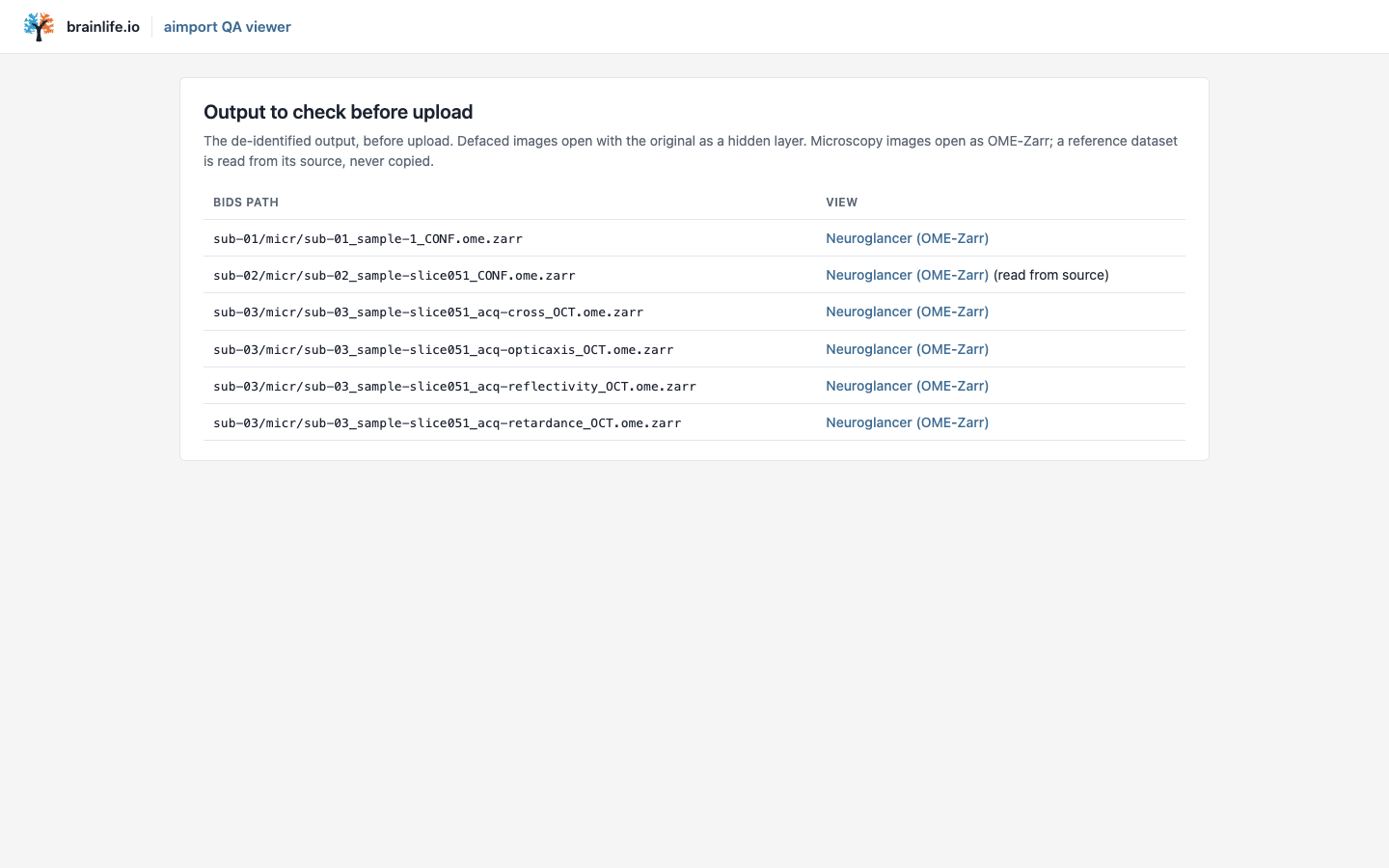
Everything is served from your own computer (127.0.0.1), from the output only.
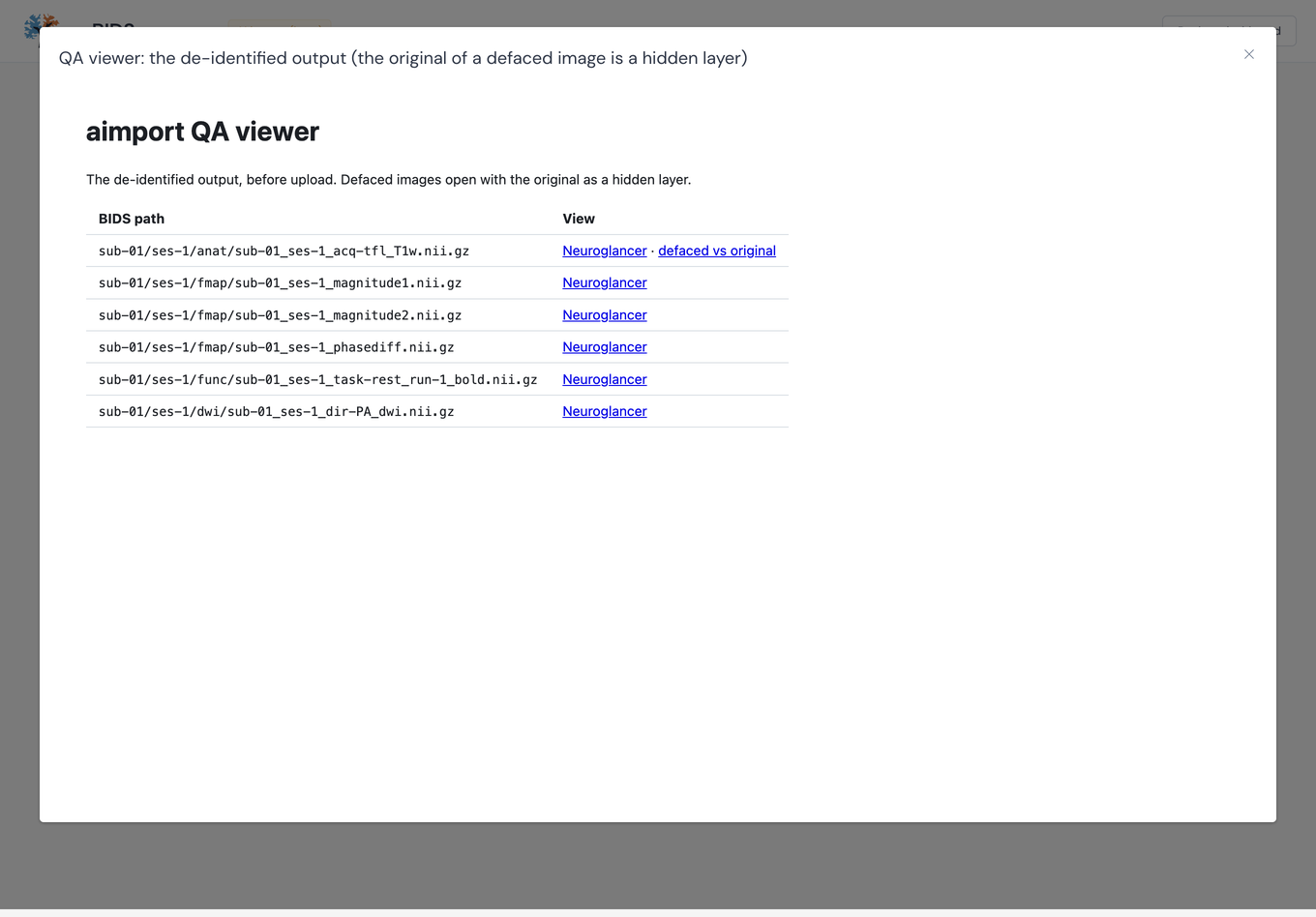
- MRI: Neuroglancer, with each defaced image next to its original. The original shows the face: never screenshot or share it.
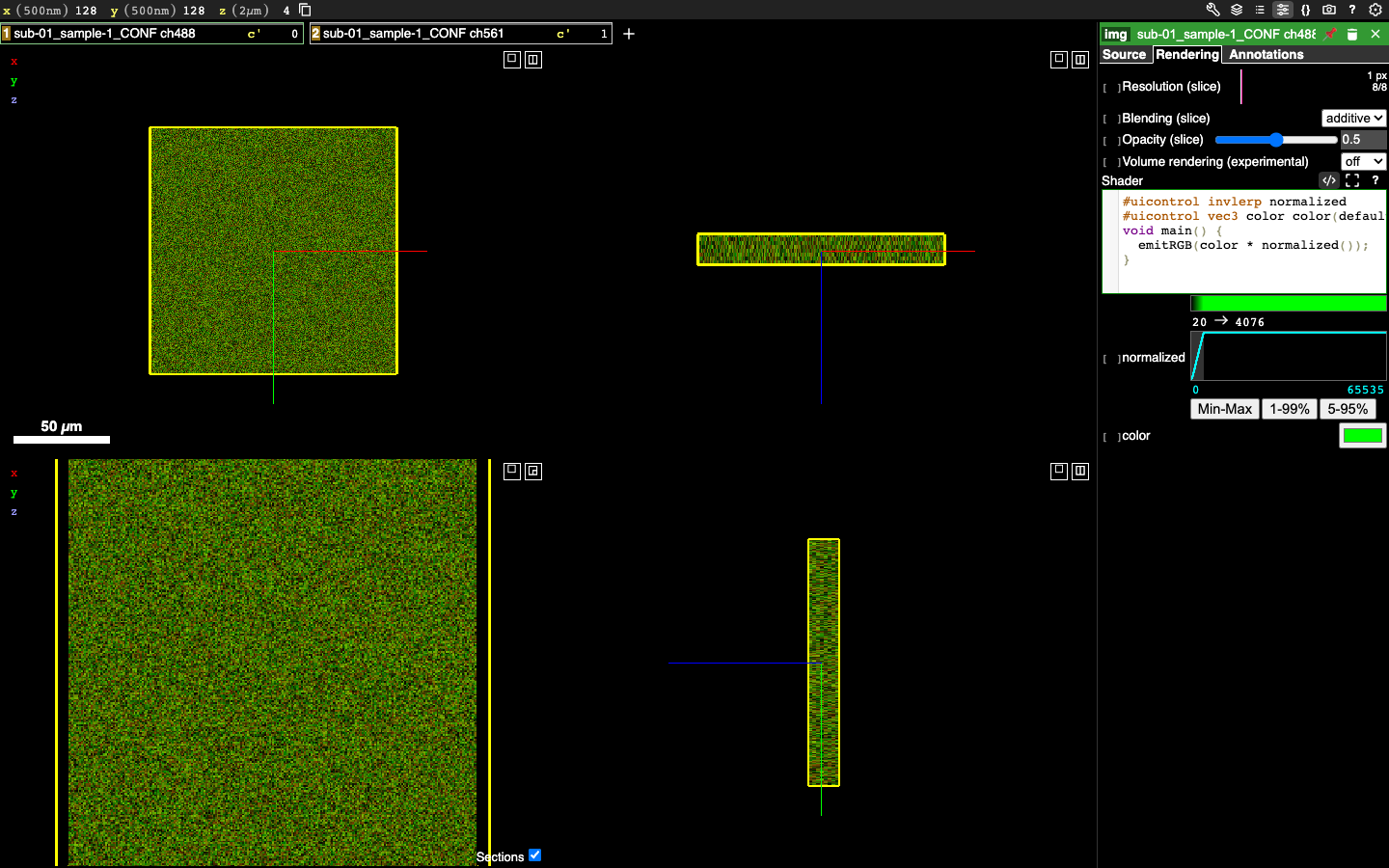
- Microscopy: OME-Zarr in Neuroglancer; PS-OCT contrasts (reflectivity, retardance, optic axis) open as separate panels, never blended.
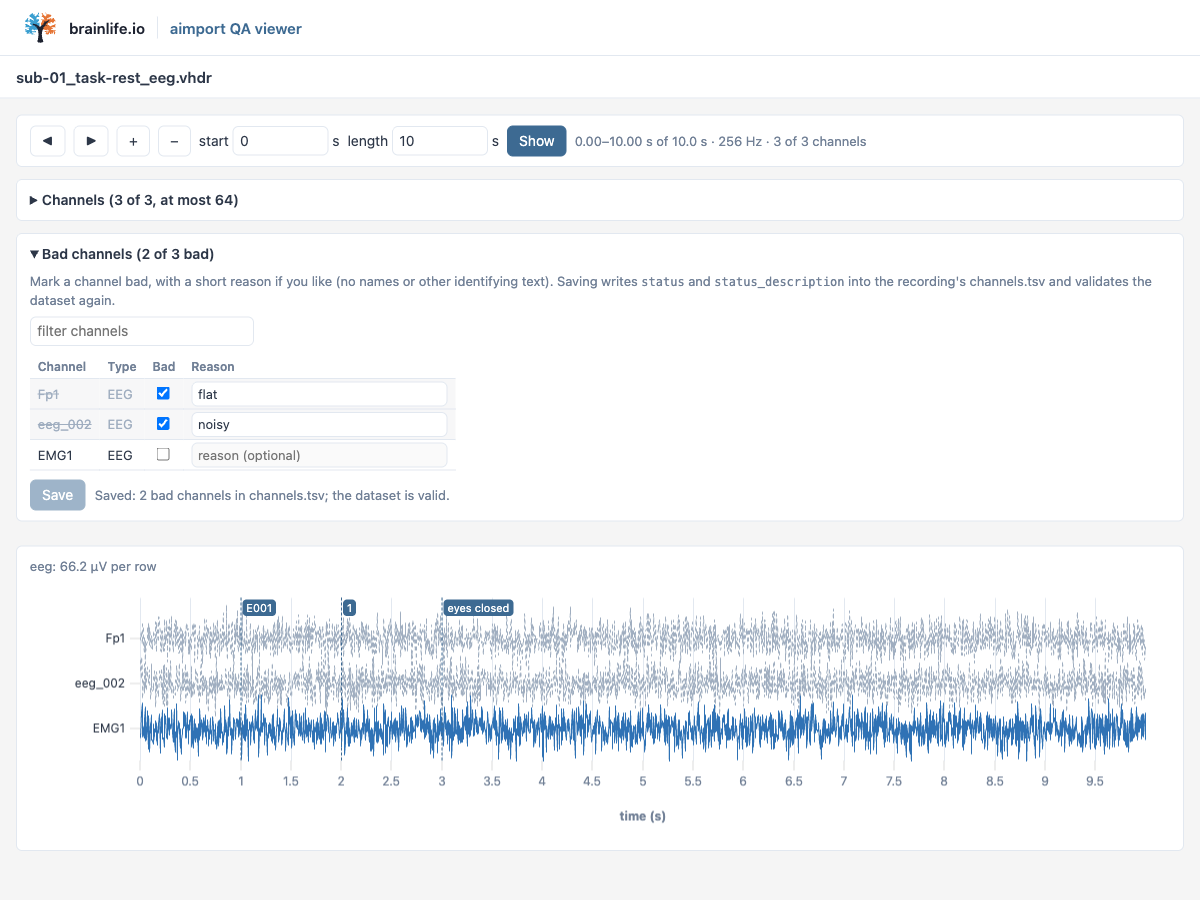
- EEG, MEG, iEEG, NIRS, EMG: snapshots plus an interactive trace viewer (pan, zoom, event markers; NIRS as HbO/HbR).
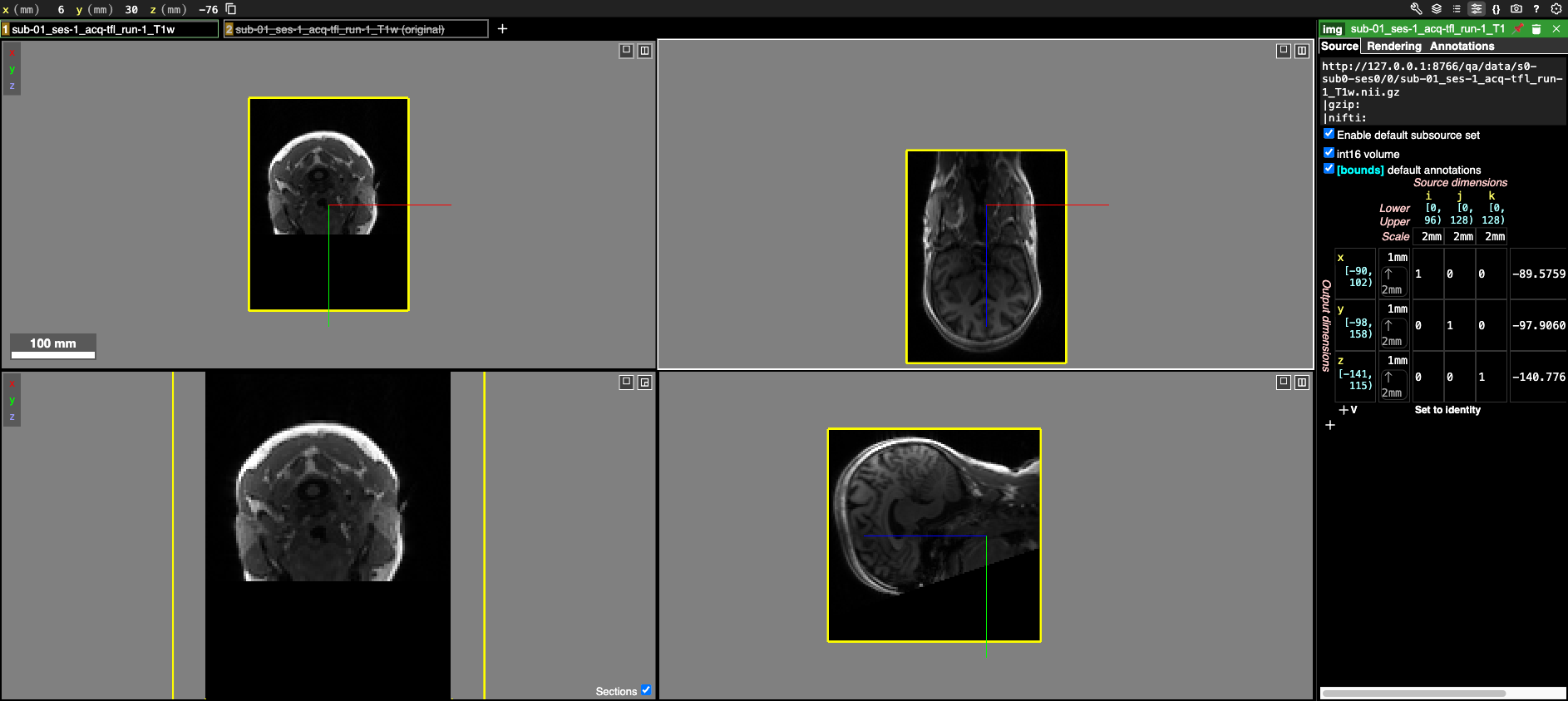
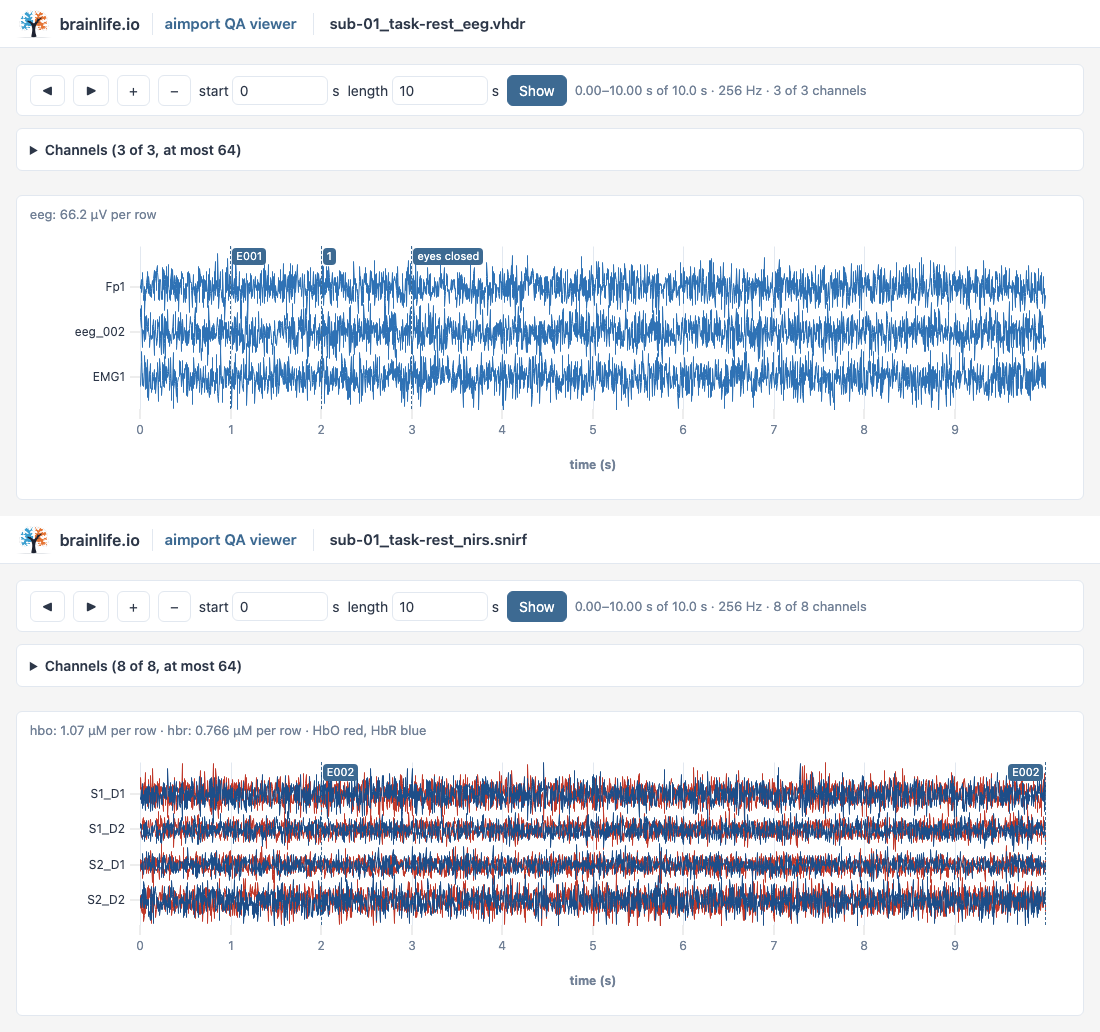
Bad channels. In the trace viewer, tick a channel bad, add a reason (flat, noisy, bridged, disconnected) and Save. aimport writes status and status_description into the recording's channels.tsv and validates again.
On brainlife.io #
| BIDS | brainlife.io |
|---|---|
| MRI, PET | neuro/anat/t1w, neuro/dwi, neuro/func/task, neuro/fmap, ... |
| microscopy | neuro/ome-zarr, one object per image, tagged with the technique (for example OCT) |
| EEG, MEG | neuro/eeg/*, neuro/meg/*; channels.tsv (with bad channels) kept as the channels file |
| iEEG, NIRS, EMG | project files with the BIDS tree (brainlife.io datatypes are drafts for now) |
The mapping is one file, `bids_brainlife_map.yaml`.
ezBIDS desktop (coming) #
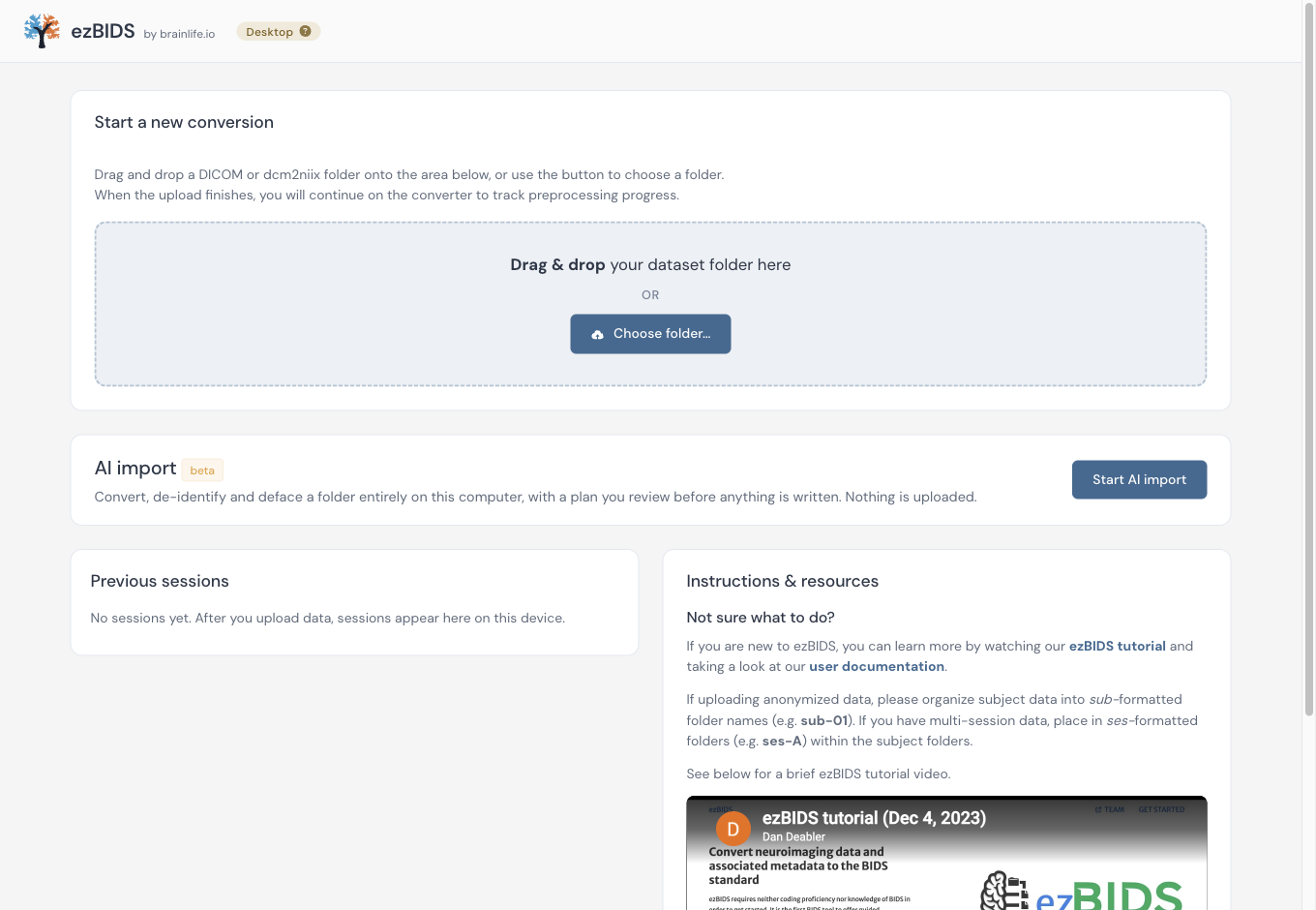
ezBIDS desktop adds AI import (beta): the same engine with no Docker, Mac first. Pick a folder, review the plan, convert, and check the result in the QA viewer, which opens inside the app window. No model key is set, so nothing leaves the machine. Uploading to brainlife.io from the app comes in a later version.
Known limitations #
- A name that appears only in free text (a README, a note), and in no header or table aimport reads, cannot be detected. Read free text in review.
- A column you keep against the default drop is redacted only for known identifiers.
- Continuous recordings only; bad time segments are not marked.
Credits and citations #
ezBIDS and aimport are developed by the Pestilli Lab at The University of Texas at Austin. When you publish data converted with aimport, please cite:
- ezBIDS: Levitas, D. et al. (2024). ezBIDS: Guided standardization of neuroimaging data interoperable with major data archives and platforms. Scientific Data, 11, 179. doi:10.1038/s41597-024-02959-0
- BIDS: Gorgolewski, K.J. et al. (2016). Scientific Data, 3, 160044. doi:10.1038/sdata.2016.44
- The BIDS extension and the tools for your data type:
| Data | Also cite |
|---|---|
| MRI | dcm2niix (Li et al., 2016); ASL: ASL-BIDS (Clement et al., 2022); if you defaced: pydeface with FSL (Jenkinson et al., 2012), or quickshear (Schimke & Hale, 2011) with ROBEX (Iglesias et al., 2011) |
| PET | PET-BIDS (Norgaard et al., 2022); PET2BIDS; dcm2niix for DICOM PET |
| MEG | MEG-BIDS (Niso et al., 2018); MNE-Python (Gramfort et al., 2013); MNE-BIDS (Appelhoff et al., 2019) |
| EEG, iEEG | EEG-BIDS (Pernet et al., 2019) or iEEG-BIDS (Holdgraf et al., 2019); MNE-Python; MNE-BIDS |
| NIRS | NIRS-BIDS (Luke et al., 2025); MNE-Python; MNE-BIDS |
| EMG | The BIDS specification v1.11.2 (the EMG paper is forthcoming); MNE-Python; MNE-BIDS |
| NWB input | NWB (Rübel et al., 2022) |
| Microscopy | Microscopy-BIDS (Bourget et al., 2022); for OME-Zarr: OME-NGFF (Moore et al., 2021) and OME-Zarr (Moore et al., 2023); BioIO, tifffile, ngff-zarr (McCormick et al., 2026) |
If you let the optional AI agent propose the mapping, say so in your methods and name the model (Claude through the Anthropic API, or an OpenAI or Qwen model through AutoBIDSify).
The full list of tools, with what each one does, its licence and its citation, is in CREDITS.md in the ezBIDS repository (machine-readable: CITATION.cff).
Learn more #
- Engine README: aimport/README.md
bl aimport: pybrainlife README- Test datasets: aimport/tests/DATASETS.md